A voice note, a text, a thought — Lona captures it, tracks your habits, and keeps your streaks alive. Real coaching, real momentum, not another app you have to remember to open.
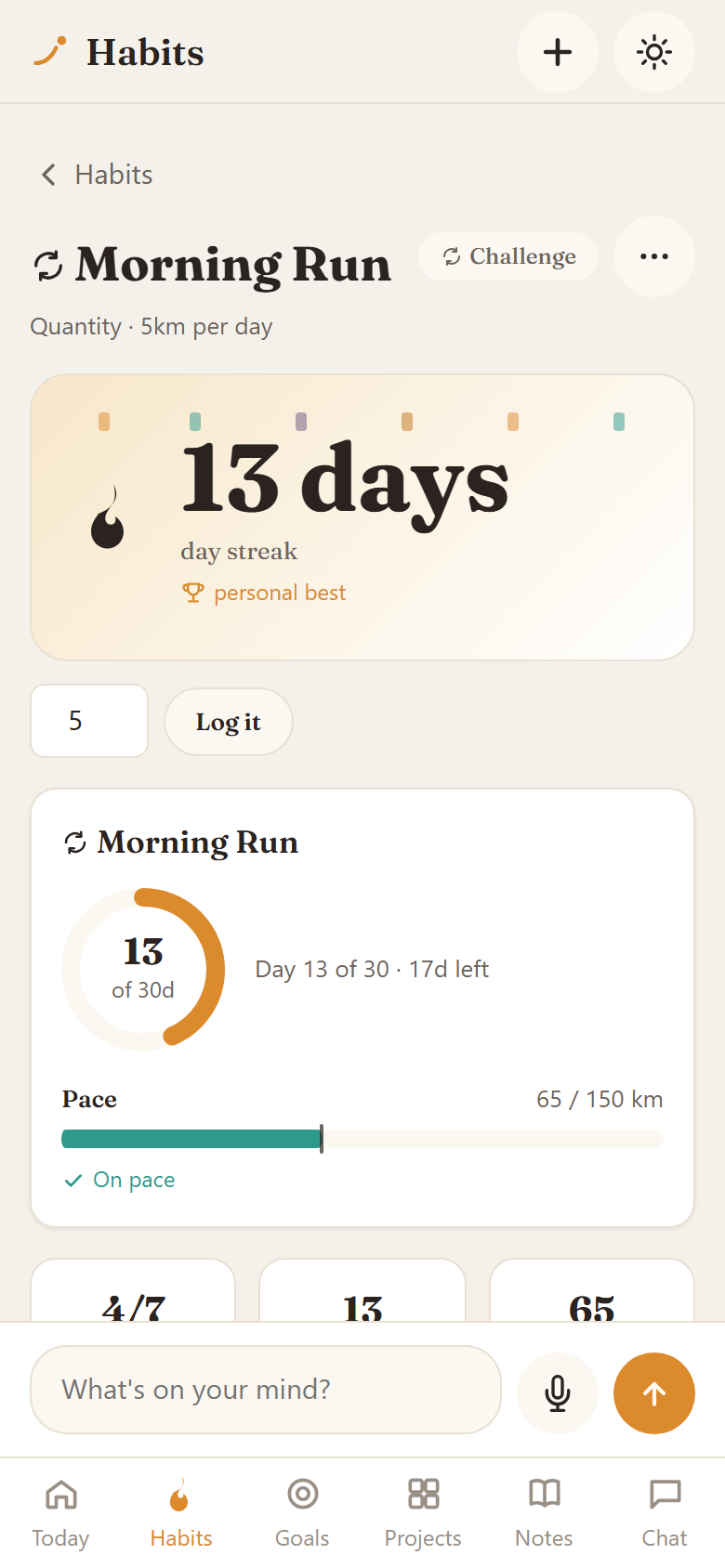
Every habit gets a real streak, a heatmap, and a record to beat — not just a checkbox.
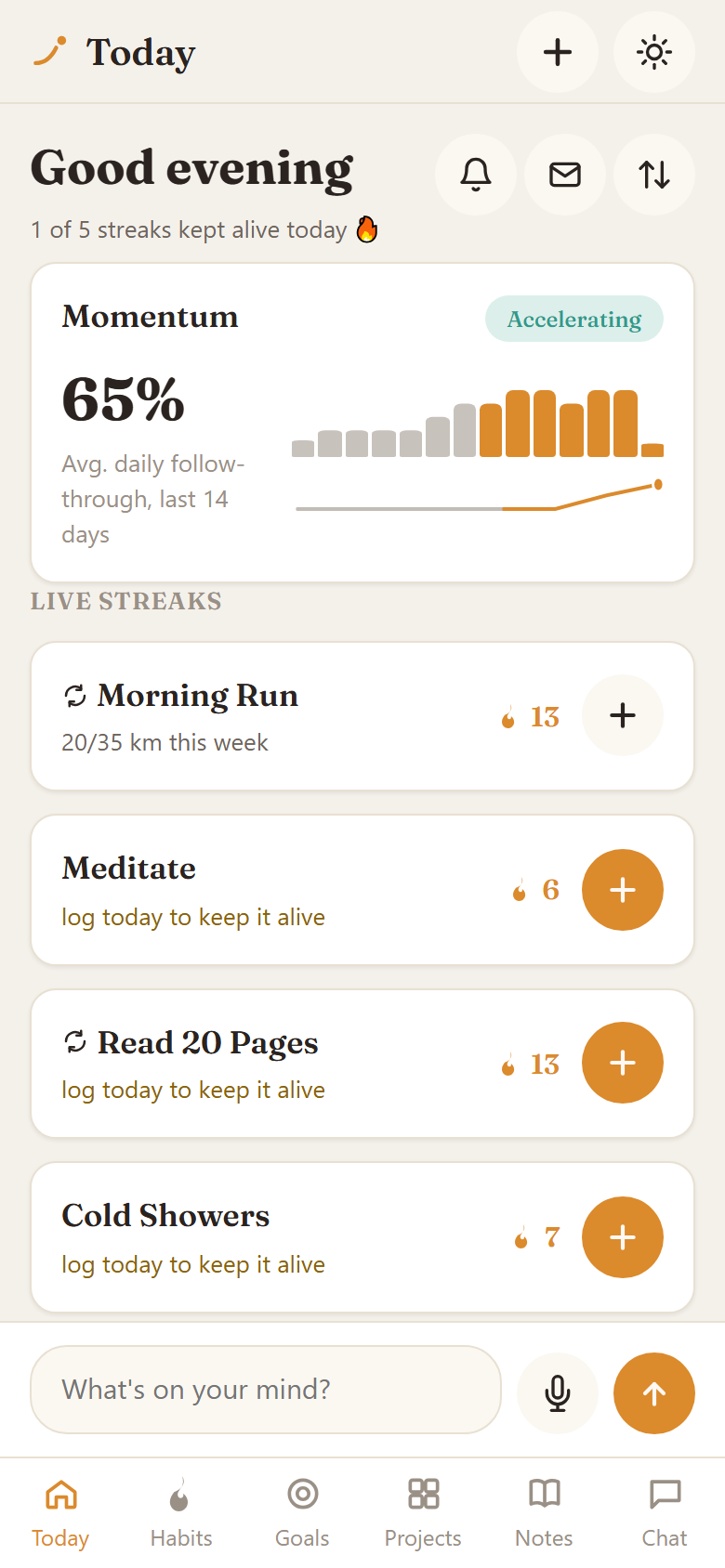
Momentum, at a glance
One number for how consistent you've actually been — not a wall of stats to interpret yourself.
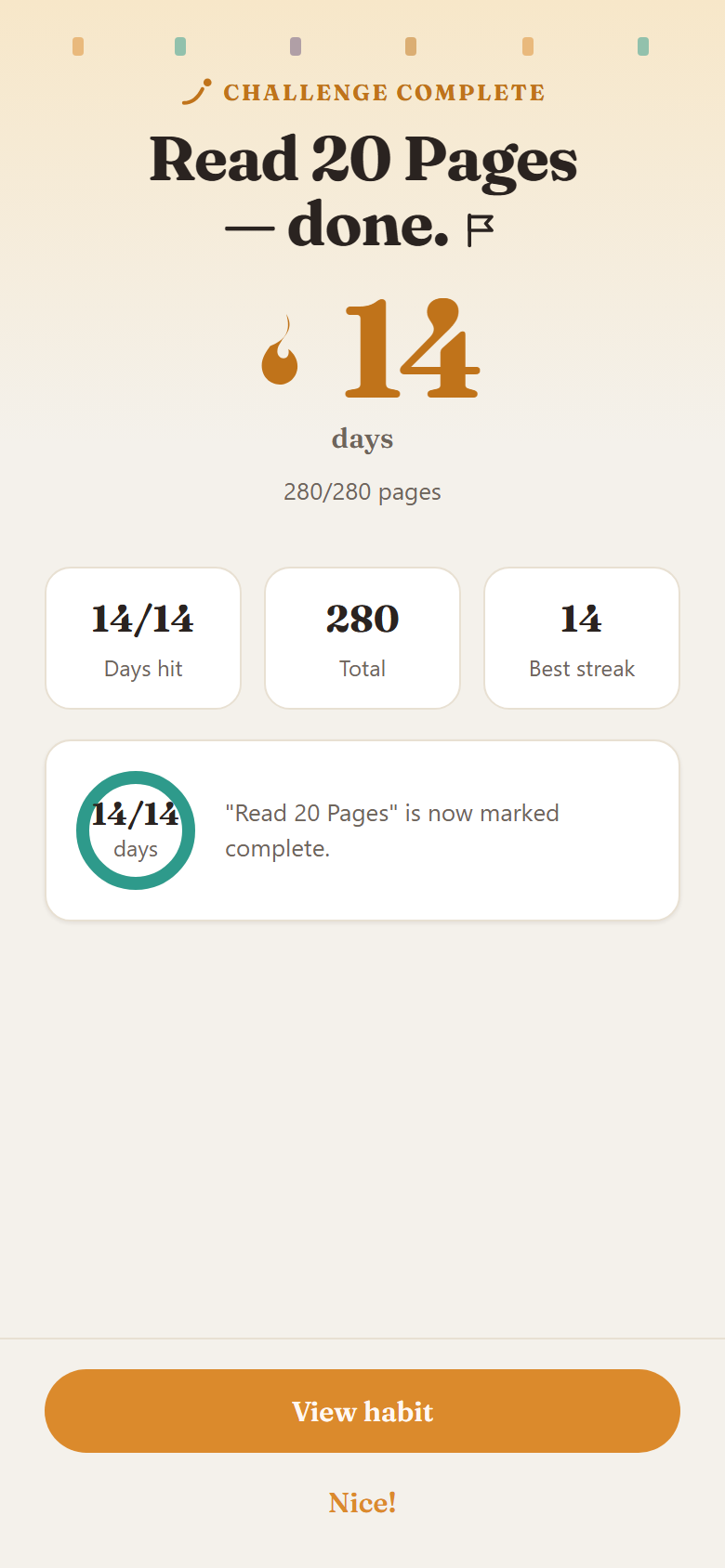
Every win, celebrated
Finish a challenge and Lona actually tells you — not a silent checkbox flip.
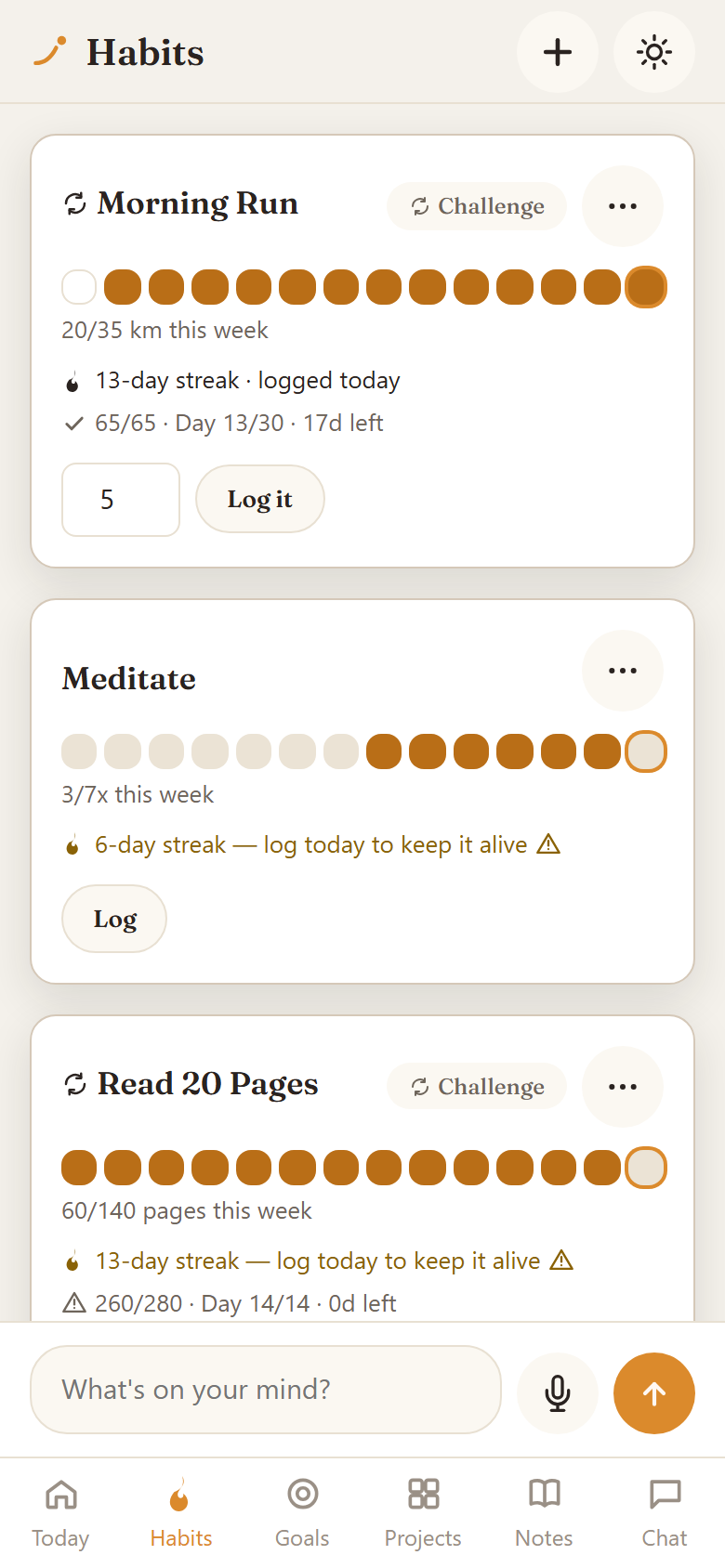
All your habits, one screen
Frequency habits, quantity habits, time-bounded challenges — tracked the way each one actually works.
And it does more
Tell it anything. It remembers everything.
Underneath the habit coach is a full second brain. The same message that logs a streak can also capture a task, remember a person, or update a project — automatically, with no extra step.
Capture anything
Voice notes, texts, forwarded messages — in whatever language you're thinking in.
Organized automatically
Extracted into to-dos, events, people, and ideas, and linked to the right project or goal — no filing required.
Habits tracked, streaks kept
The same capture that logs a task can just as easily keep a streak alive.
Coached, not just reminded
Daily and weekly coaching built from your own captured patterns — not generic advice.
People, remembered
Everyone you mention gets tracked, so a relationship never quietly goes cold.
People using Lona.
Pricing
Start free. Upgrade for the full coach.
Run Lona yourself for free, or let us host it and unlock daily coaching, calendar sync, and journaling — for a simple monthly subscription. No lifetime deals, no hidden fees.
Community Edition
FREE
$0
forever
Self-hosted, on your own PC
Unlimited voice & text capture
Automatic to-do / event / people / idea extraction
Today, yes — Telegram is how you connect your bot and how coaching messages reach you. A Telegram-optional standalone app is in active development.
What do I need to use Lona?
Just Telegram and a Notion account — both free to set up. We walk you through connecting everything during onboarding. No technical knowledge required.
What language can I use with Lona?
You can send messages in English, French, or Portuguese and Lona will understand you. That said, our support and the app interface are in English only for now — full multilingual support is on the roadmap for future releases.
Is there a free tier?
Yes — the Community Edition is free forever, no waitlist. You self-host it on your own Windows PC with your own Anthropic API key, and it includes unlimited voice/text capture, automatic to-do/event/people/idea extraction, linking to your Projects/Goals/Habits, and your own Notion workspace as storage. It does not include coaching, calendar sync, or the journal — those are part of the paid Managed tier.
What's the difference between the BYO Key and Shared Key plans?
Both give you the full Managed feature set — coaching, calendar sync, journal, recurring tasks. With BYO Key ($9/mo) you supply your own Anthropic API key and only pay for hosting. With Shared Key ($19/mo) we provide the AI access ourselves, so there's nothing to configure — simplest if you don't want to manage an API key.
How is it different from other habit trackers?
Most habit trackers only work if you remember to open them. Lona meets you where you already are — a text or a voice note logs a habit, captures a task, or updates a project, and it proactively coaches you based on your own patterns instead of waiting for you to check in.
Get in touch
Need help or have a question?
We're a small team and we'll get back to you as soon as possible.